Fasteners and CAD
Make your CAD model work for you.
Before you even begin to worry about how to incorporate fasteners into your CAD models, first you should be asking yourself: should I? Whether or not fasteners make sense to include in CAD will depend largely on your company and industry. A one-off automation machine may only include specialty fasteners that aren’t regularly stocked, while a serialized production machine where several hundred units will be made could include every nut and bolt. Adding all the hardware to an assembly can be a serious undertaking, even with the time saving methods we’ll discuss here, and an honest accounting of the potential benefits of a full resolution model needs to be balanced against the labor cost of doing so.
Including fasteners can help to:
- Create an accurate bill of materials.
- Discover potential interference issues.
- Indicate position of specific hardware to manufacturing.
What’s on the shelf?
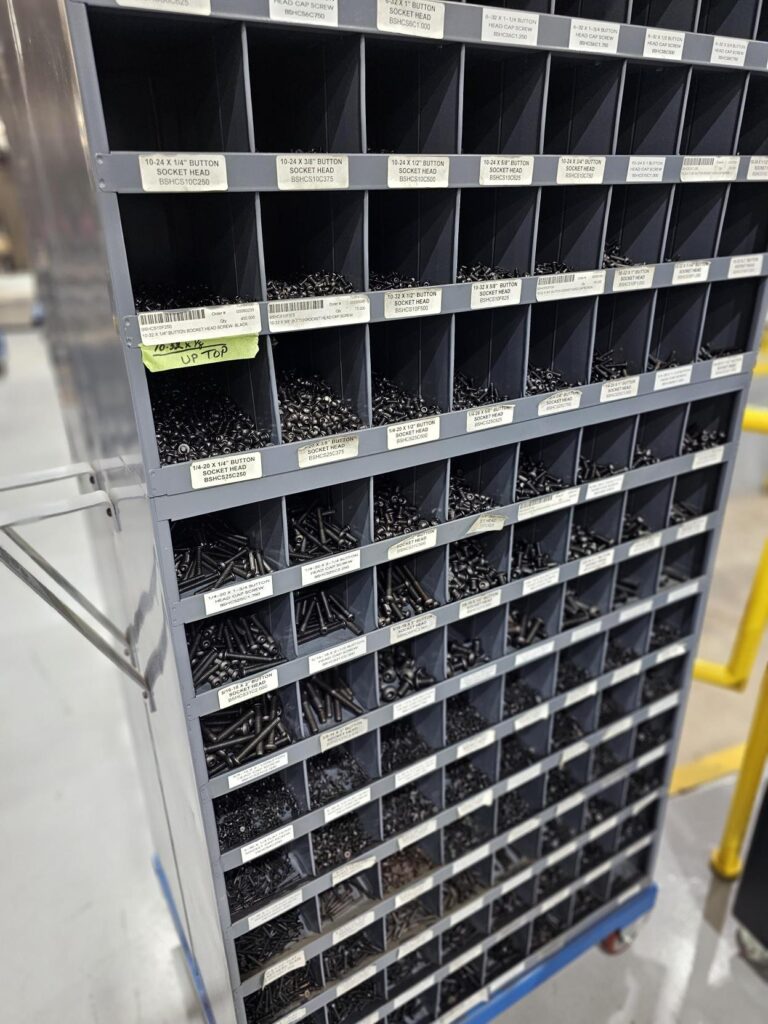
Before we even crack a McMaster Carr catalog, it makes sense to first become familiar with the hardware inventory management systems in place already. Most manufacturing facilities will already have shelves or bins of fasteners. Often times, these are maintained by third party vendors that come by at regular intervals and document and maintain stock levels. What’s regularly on hand will vary from what industries are served; harsh and heavy industrial will utilize mostly plain carbon steel, while medical or dairy facilities will only have stainless. The head type of hardware may change as a matter of preference or style. Many facilities won’t have a single Phillips head screw, other will use them exclusively.
Find out who stocks the bins and keep a record of everything that’s regularly on hand. Many times, especially low production count machines, these pieces can be left out of a CAD design entirely.
The prototype was so good, now they want 100.
When a machine is made as a one-of-a-kind, it may not make sense to include every fastener in the design. Any fastener that’s regularly stocked may only be used several dozen times and the use of inventory can easily be absorbed and replenished without delaying the build. But what if the project calls for ten machines, or a hundred? Hardware can easily reach 10-15% of a build cost, and as part count increases, so do the justification of labor to properly account for every nut and bolt so that they can be charged to the project, instead of the general shop account.
The same may hold true for any single fastener used commonly enough to fully exhaust the standard stock level. There’s no hard and fast rule about a specific quantity, that will depend on your inventory systems. A good general guideline is to use the unit of “about a bin-full”. Most likely, every bin on the shelf is the same size, so it follows that one may have several hundred 4-40X 0.25″ SHCS, but only several dozen 1/2-13 X 4″ SHCS. Especially in the automation industry when tooling may repeat on an indexer dial or conveyor, a single fastener pattern could be repeat enough to quickly deplete not just manufacturing stock, but the regularly held inventory of your normal vendors! Don’t delay a flagship project waiting on something as simple as a socket head cap screw, in these cases it’s best to add them to CAD so they can be reflected on the bill of materials.
Importing CAD models for Assemblies
How to not waste your life putting screws in CAD
Once a CAD model of the fastener has been correctly downloaded and included in the PDM system, it has to be placed into each assembly. We could mate each fastener in the most basic way, with a concentric mate and a coincident mate of the bearing surface to the surface of the part.
This quickly becomes inefficient after just a couple fasteners. Let’s go back to our threadless fastener we created earlier and add a shortcut.