How to Not Waste Your Life Putting Screws in CAD
Once a CAD model of the fastener has been correctly downloaded and included in the PDM system, it has to be placed into each assembly. We could mate each fastener in the most basic way, with a concentric mate and a coincident mate of the bearing surface to the surface of the part.
This quickly becomes inefficient after just a couple fasteners. Let’s create a threadless fastener in CAD with a shortcut to save time.
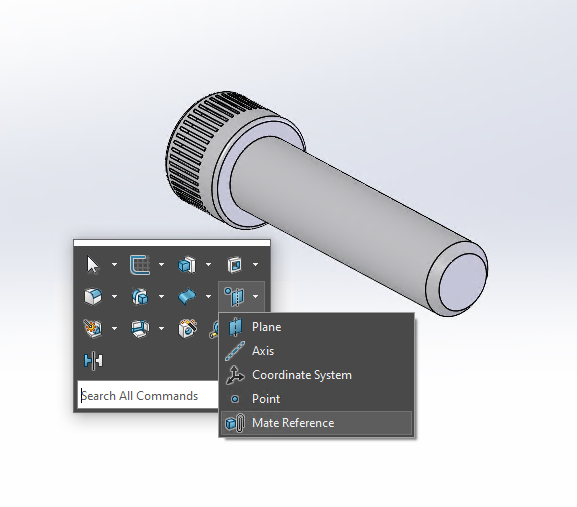
Once the fastener is saved, select the Mate Reference in the Reference Geometry drop down menu.
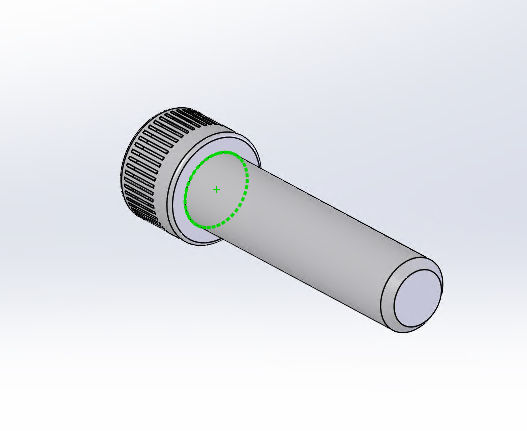
Select the edge of the bearing surface.